
On this page
- Why are clients asking now?
- Which AI tools do you use on our work?
- Is our information used to train AI models?
- Who checks the work before it reaches us?
- Where did that number come from?
- Who can see our information?
- What happens to our information if we part ways?
- Putting it on one page
- What Storystak doesn't do
- What does Storystak cost?
- Frequently asked questions
- Sources
Facts checked . The products compared here change often; we re-check every 30 days.
Fernhill Outdoor (a client we made up for this guide) has a new marketing director, and on a Tuesday she sends over a vendor questionnaire. Question 14 reads: "List every AI tool used on our account, describe your human review process, and confirm our data is never used to train AI models." It's due Friday.
The honest answer at most agencies is "it depends who's on it this week." One account manager uses Claude on the company plan. A freelancer uses her own Gemini. The designer's tool has AI built in, and nobody has checked what it does with uploads. Someone in the channel suggests asking ChatGPT how to answer the questionnaire.
None of that is a scandal. It's just that nobody wrote it down, and now a client wants it in writing. This guide covers the six questions clients ask, an answer you can give to each, and what has to be true behind the answer for it to hold up.
Why are clients asking now?
Because the large brands put it in their contracts, and their templates travel.
In a 2026 survey of major multinational brands, published in September by the World Federation of Advertisers, 59% have introduced AI clauses in their agency contracts. 69% require agencies to disclose AI use, and 75% require human oversight of what the AI produces. Only 13% said they have a great deal of visibility into how their agencies use AI. That last number is the gap the questionnaires are trying to close.
The paperwork exists to copy. The ANA, the US advertisers' association, published an AI rider template for its members' agency agreements in June 2025, written with the law firm Venable. It covers disclosure, human oversight, and who owns what the AI makes, according to AdExchanger's write-up. Agencies are answering clause by clause rather than rewriting contracts. Digiday reported in September 2026 that agencies add AI language when a client asks for it, when a client wants a seat in the agency's own AI tool, or when a new AI tool goes onto a client's project.
Clients say plainly what they want. In the Agency Management Institute's 2026 survey of 400 clients of small and mid-size agencies, 82% said transparency about how AI is used increases their trust in an agency. 89% expect the agency to stay fully accountable for recommendations made with AI. Asked what they most want agencies to tell them about AI, 65% rated protection of their information very important or essential, well ahead of which tools are used (38%).
The WFA counts big brands. AMI's respondents are clients of small and mid-size agencies, so these questions aren't waiting for you to land a global account. They often arrive on a form borrowed from somewhere bigger.
Which AI tools do you use on our work?
What they're asking: whether you know, and whether the answer is the same for everyone on their account.
A good answer: "We use Claude on a Team plan for drafting and research, and Canva's built-in AI for resizing. Everyone who works on your business uses our company plans, freelancers included, and nobody uses a personal account on your work." Name the tools, the plan, and who uses them.
Not there yet? Say what's true and when it changes: "Most of our team uses Claude on our Team plan. By the end of next month, everyone on your business, freelancers included, will be on company plans." A dated fix reads better than a promise you can't sign.
What you need behind it: a short list of approved tools per client, and a rule about personal accounts. Most agencies can write the list in an afternoon. Keeping it true is the hard part, because tools change every few months and freelancers arrive with their own.
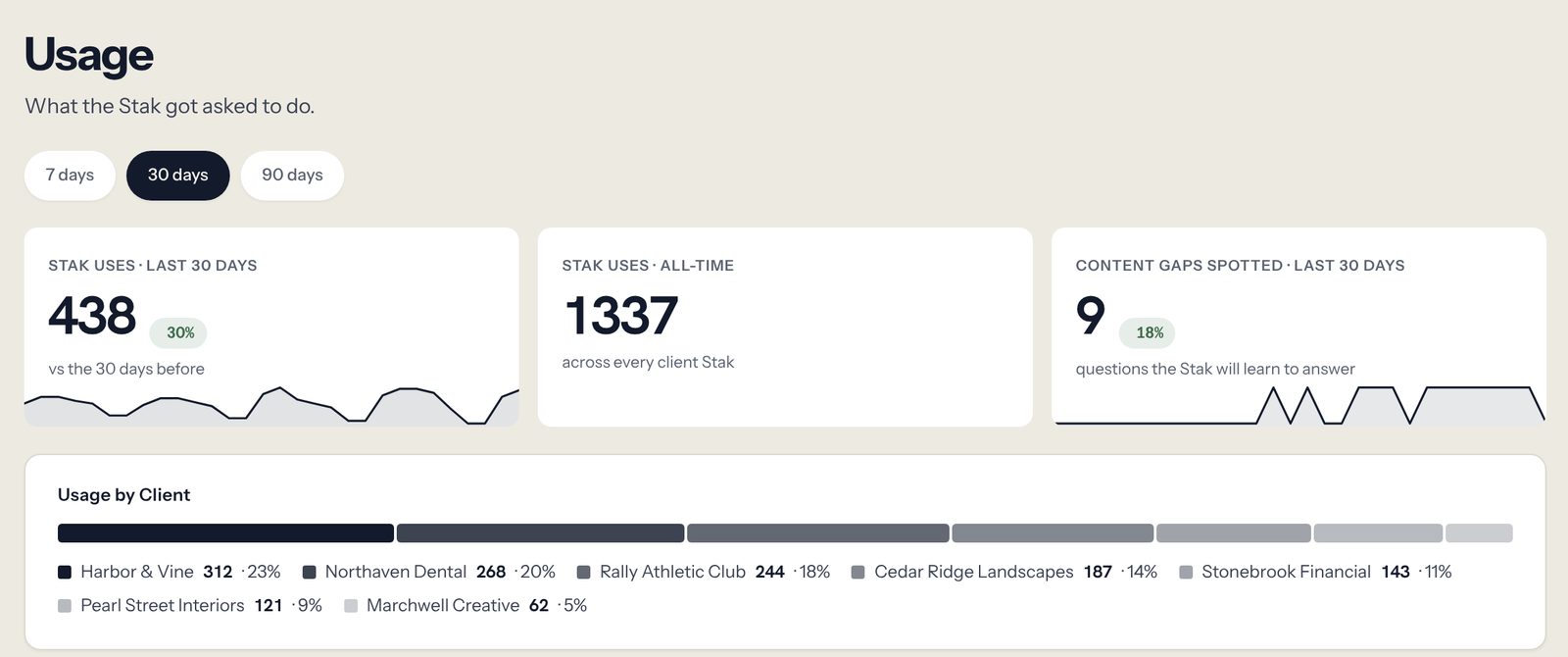
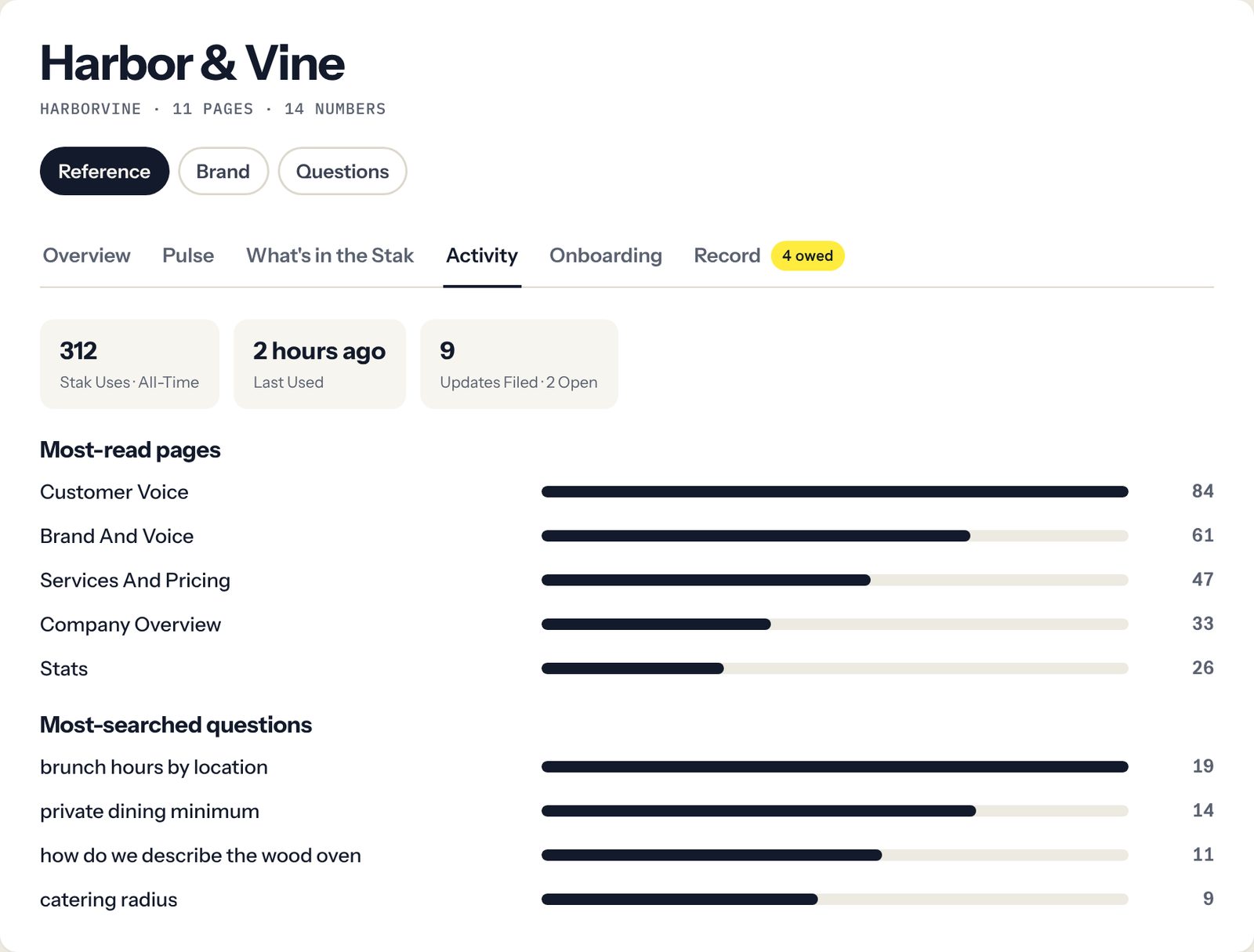
Storystak, which publishes this guide, keeps one approved record of facts for each client, called a Client Stak, and connects it to the Claude or ChatGPT plan your team already uses. If you use it, it goes on the client's list too, as the place their record lives. Its Usage page shows how often each client's record gets read and what the team searched for and couldn't find, without anyone reading anyone's chats. It covers reads of the record. It doesn't see what someone typed into a tool that isn't connected.
Is our information used to train AI models?
What they're asking: whether their unreleased product line ends up in someone's training data.
A good answer: "Claude and ChatGPT run on our business plans, which those vendors say are excluded from training by default. We've checked the data settings on the AI built into our other tools. We don't put your information into personal or free accounts."
What you need behind it: everyone on business plans, and the setting checked. Anthropic says it does not train on inputs or outputs from its commercial products by default, which covers Claude Team and Enterprise. OpenAI says the same of ChatGPT Business and Enterprise. The real exposure is the personal account someone opened because the company one hit its limit.
Storystak never uses your clients' content to train AI models. Its own AI steps, such as researching a new Client Stak, run on Anthropic's API under terms that don't allow training on your content. Day to day, it serves each client's record to the AI tool your team already pays for.
Who checks the work before it reaches us?
What they're asking: whether a person stands behind what you send, or whether it went straight from a prompt to their inbox.
A good answer: "Every deliverable is reviewed by a named person on your account before it goes out. And the facts our AI works from about your business were checked by a person too."
What you need behind it: a review step in your workflow, which most agencies already have. The second half is what most can't show. If the AI drafted from last spring's brand guide or a pricing sheet nobody updated, a careful review still lets the wrong fact through, because the reviewer trusts the same files.
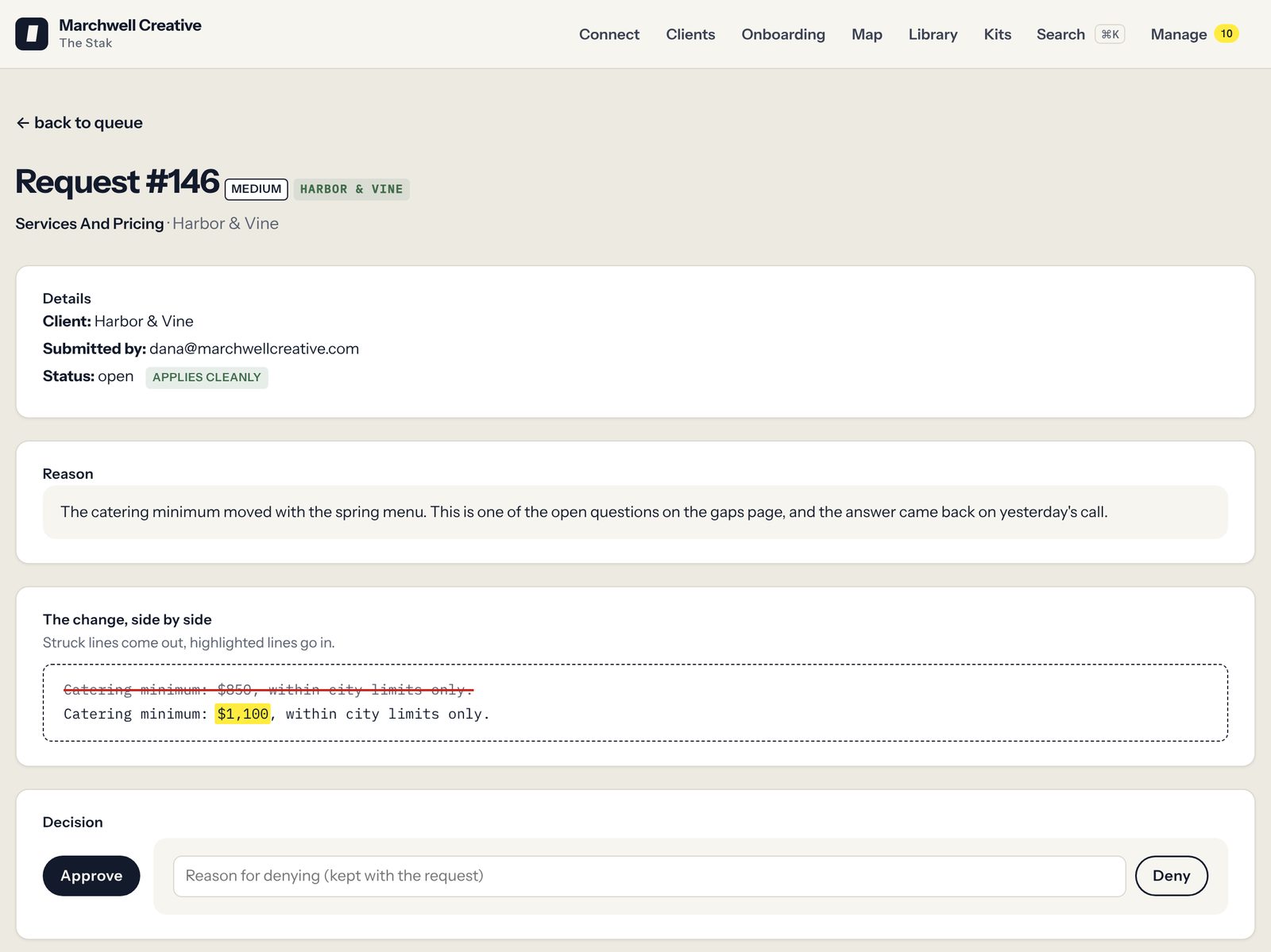
In a Client Stak, nothing changes without a person approving it. Each change shows who asked for it, why, the old line and the new one, and who approved it. That's what governance means here: a named person signs off on what the AI is allowed to treat as true.
Where did that number come from?
What they're asking: this one usually comes later, from the client's legal or comms team, about a specific claim in a specific deck.
A good answer: "That's from your 2026 customer survey, page 4. Your team confirmed it with us in October."
What you need behind it: a source and a date on the facts you reuse most. Without them, the answer means finding whoever wrote the deck and hoping they remember.
In a Stak, every canonical stat carries its source and the date someone last confirmed it. A number nobody has confirmed in 120 days gets flagged, so a stale figure gets noticed before it reaches a deck.
Who can see our information?
What they're asking: whether their files sit in a folder the whole agency can open, including the freelancer who also works for their competitor.
A good answer: "The people assigned to your account, by name. Freelancers get access only to the clients they work on, and it ends the day their work does."
What you need behind it: a list of who can reach each client's material, and a habit of removing people. In most setups, that's a shared drive's sharing settings plus whatever each person has pasted into their own AI chats, which is the part nobody can list.
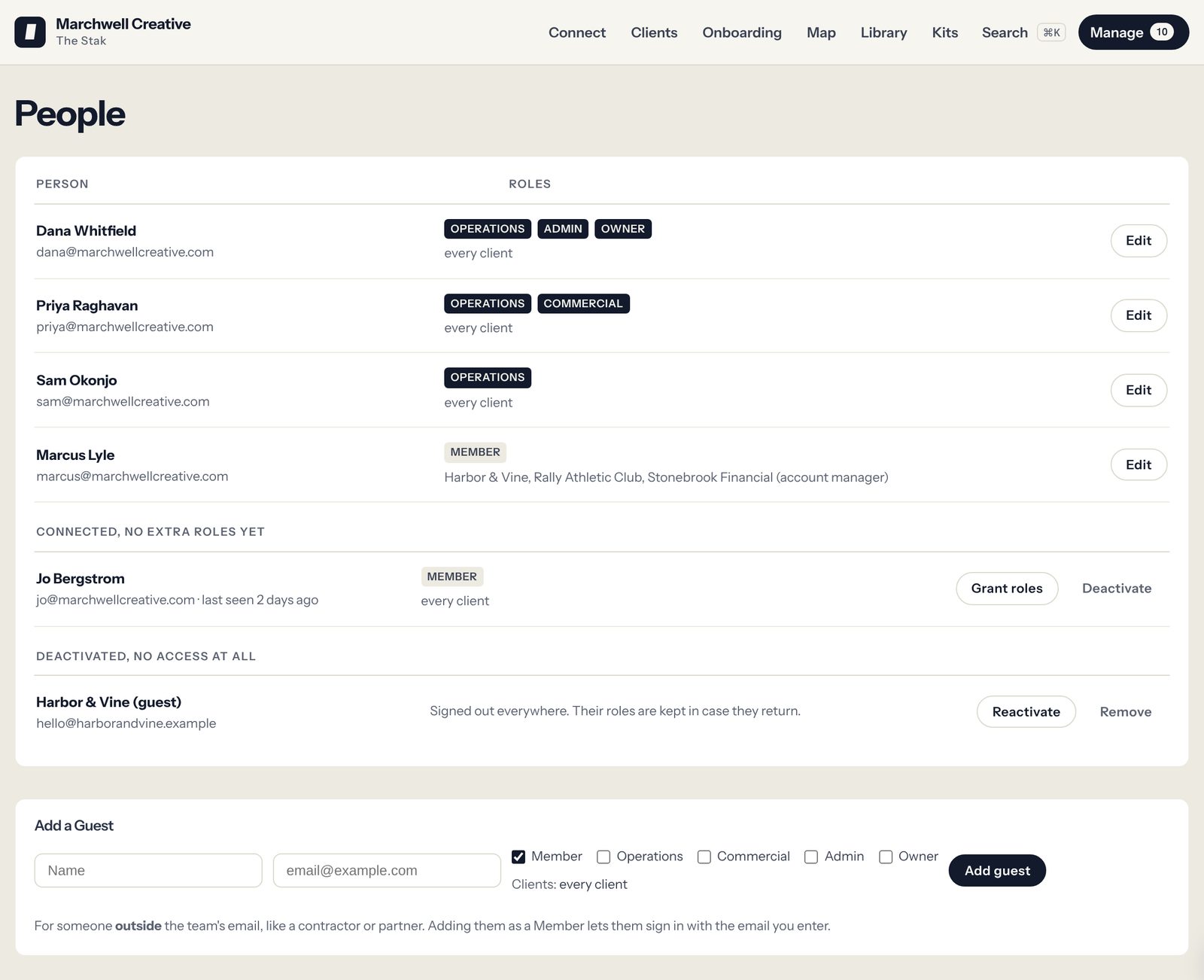
Storystak draws two walls. Inside Storystak, every read names one client, enforced in code, so one client's facts can't turn up in another client's work. And each person is assigned to the clients they work on and reads only those. A contractor on two clients sees those two, costs nothing extra, and loses access the moment someone deactivates them. There's no file-by-file access inside a client: anyone assigned to Fernhill reads all of Fernhill.
What happens to our information if we part ways?
What they're asking: whether they can get it back, and whether you'll keep using it.
A good answer: "You can have a clean copy of the record we keep on your business, and our AI stops reading it the day the engagement ends."
What you need behind it: a way to hand it over and switch it off. In Storystak, a switched-off Client Stak can't be read by anyone's AI, the agency can ask us for an export as one file at no fee, and it's kept for 12 months in case the client comes back, unless you ask us to delete it sooner.
Putting it on one page
Clients also want to know when AI is used and when it isn't. In AMI's survey, 82% expect agencies to explain that clearly. Audience Audit, which ran the study with AMI, advises agencies to write it down on one page.
Write one agency page, with a short section for each client where the answers differ. Cover seven things: the tools and plans you use, the rule on personal accounts, training, who reviews the work, where the AI's facts about the client come from, who has access, and what happens at the end. Keep it short enough that someone will update it.
The page is yours to write. What a record gives you is evidence behind each line: the approvals, the sources, the access list and the usage. It also shows you what your team looks up most about each client, which is usually close to the next question the client asks.
What Storystak doesn't do
We don't track which AI touched which piece of work. If a client needs a log per deliverable, that comes from your project tool and your people.
We don't make an agency compliant with anything. A record helps you answer a contract's questions. Your contract, your insurer and your lawyer decide what the answer has to be. Nothing here is legal advice.
We don't stop someone pasting client material into a personal AI account. That's a policy and a habit. A record makes the right place to work the easy place, which helps the habit.
What does Storystak cost?
Month to month, Storystak is $100 a month for each active Client Stak, plus a $1,500 one-time setup that we are waiving for founding agencies. By the year, it is $75 a month for each active Client Stak, with at least five Client Staks prepaid for the year at signing ($4,500), setup included and the price locked for 24 months. For 20 active clients, that's $1,500 a month by the year. You pay only for the clients you switch on, so you can start with the ones who are asking. Seats are unlimited, contractors included, and every kit (our ready-made skills) is included. You keep paying for your AI tool, because Storystak doesn't replace it.
See it on one of your clients. Take the demo tour on a fictional agency, or book a call and we'll build a Stak from what you already have and connect it to the AI your team uses.
Frequently asked questions
Do we have to tell clients we use AI?
It depends on your contract. Many large brands now require it: 69% of the major multinational brands in the WFA's 2026 survey do. Where nothing requires it, telling them anyway tends to help. In AMI's 2026 survey of clients of small and mid-size agencies, 82% said transparency about how AI is used increases their trust. This isn't legal advice. Read your contracts.
What should an agency AI policy for clients include?
The tools and plans you use, the rule on personal accounts, your review step, where the AI's facts about each client come from, who can see each client's information, and what happens when an engagement ends. One agency page, with a short section per client where the answers differ, is enough.
A client wants a seat in our AI tool. What changes?
Usually the contract. Digiday reported in September 2026 that a client asking for a seat in the agency's own AI tool is one of the moments agencies add AI language to an existing agreement. Before you say yes, decide what the client will see in the tool, whether anything in it belongs to another client, and when their access ends.
Can Storystak show which AI tool produced a specific deliverable?
No. Storystak records what each client's record says, who approved each change, and how often each record is read. It doesn't follow a piece of work through to delivery.
Our insurer is asking about AI. What should we check?
Ask your broker whether a generative AI exclusion was added to your general liability policy at renewal. Verisk introduced optional generative AI exclusions for general liability with a January 2026 edition date. One removes coverage for injury and damage arising from generative AI, personal and advertising injury included. Another removes only personal and advertising injury, the part of a policy most relevant to marketing work. This isn't insurance advice. Your broker can tell you what your policy says.
Sources
- 96% of major brands now use AI in marketing, WFA research finds
- Generative AI Use in Advertising Contracts (ANA)
- Inside the ANA's new legal gen AI template for advertisers and agencies (AdExchanger)
- AI reshapes agency economics, but their contracts are still scrambling to catch up (Digiday)
- AI Is the Means, Not the Mission (Agency Management Institute)
- Agency Edge 2026 findings, 400 clients of small and mid-size agencies (Audience Audit)
- Is my data used for model training? (Anthropic, commercial products)
- Business data privacy, security, and compliance (OpenAI)
- Verisk to roll out new general liability exclusions for generative AI exposures (Big I)

Dan works with agency owners on how their teams use AI day to day, and on what it takes to make that work consistent across people, clients and tools.